
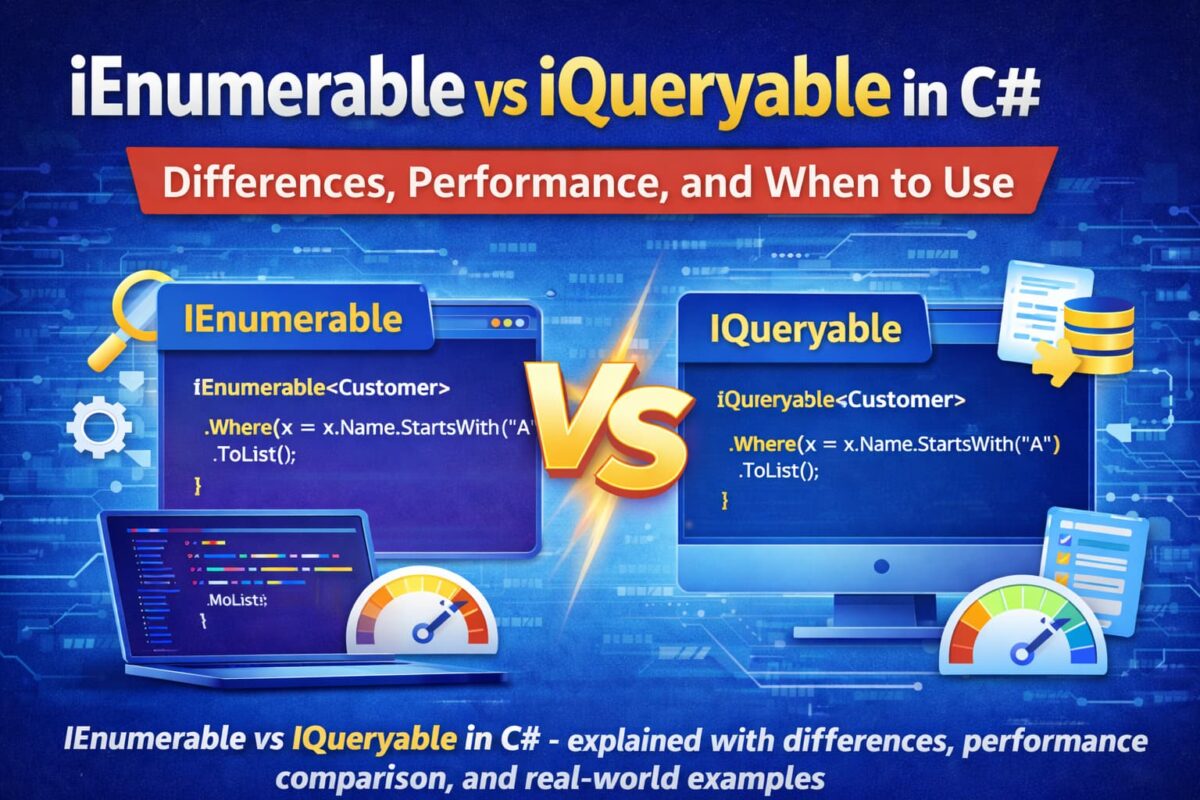
When working with data in C#, especially with LINQ or Entity Framework Core, you will frequently encounter two interfaces that often cause confusion: IEnumerable vs IQueryable. At first glance, they might look similar, but choosing the wrong one can have a big impact on your application’s performance.
Both IEnumerable and IQueryable are interfaces used for data manipulation and querying collections in C#. However, they differ significantly in how and where the data is processed—whether in memory or at the database level.
In this guide, we’ll break down everything you need to know about IEnumerable vs IQueryable in C#. You’ll get clear explanations, real-world performance comparisons, and practical examples that make it easy to choose the right tool for your data.
What is IEnumerable in C#?
In C#, IEnumerable is an interface that helps you work with collections like arrays, lists, or any in-memory data. It lets you loop through items one by one, usually with a foreach loop.
The key thing to remember is: IEnumerable works with data that’s already in memory, so any filtering or transformations happen after the data is loaded, not in the database or external source.
Key Points
- Works With: Arrays, Lists, or any in-memory collection
- Namespace: System.Collections / System.Collections.Generic
- Execution: Deferred execution in LINQ (evaluates only when you loop through it)
- Use Case: Iterating or filtering data already loaded in memory
Example:
using System;
using System.Collections.Generic;
using System.Linq;

class Program
{
    static void Main()
    {
        List<int> numbers = new List<int> {1, 2, 3, 4, 5};

        IEnumerable<int> evenNumbers = numbers.Where(n => n % 2 == 0);

        foreach (var num in evenNumbers)
        {
            Console.WriteLine(num);
        }
    }
}Output:
2
4What is IQueryable in C#?
In C#, IQueryable is an interface that lets you work with data that comes from external sources, like a database. Unlike IEnumerable, it doesn’t load all the data into memory first. Instead, it builds a query that the database executes, which can improve performance for large datasets.
Think of IQueryable as a smart way to ask the database: “Give me only the data I need,” instead of grabbing everything and filtering it in memory.
This is especially useful when building CRUD operations in ASP.NET Core Web API or implementing JWT Authentication.
Key Points
- Works With: Database queries (like Entity Framework Core)
- Namespace: System.Linq
- Execution: Deferred execution; query runs on the database only when you enumerate it
- Use Case: Filtering, sorting, or projecting large data without loading everything in memory
Example:
using System;
using System.Linq;
using Microsoft.EntityFrameworkCore;

class Program
{
    static void Main()
    {
        using (var context = new AppDbContext())
        {
            IQueryable<User> activeUsers = context.Users
                                                  .Where(u => u.IsActive);

            foreach (var user in activeUsers)
            {
                Console.WriteLine(user.Name);
            }
        }
    }
}Explanation:
Here, IQueryable builds a query to fetch only active users from the database. The filtering happens on the database side, not in memory, which makes it faster for large datasets and ensures Web API performance optimization.
Difference Between IEnumerable and IQueryable in C#
When comparing IEnumerable vs IQueryable, the main difference lies in where the query is executed and how data is fetched:
| Feature | IEnumerable | IQueryable |
|---|---|---|
| Namespace | System.Collections / System.Collections.Generic | System.Linq |
| Execution | In-memory (client-side, after loading data) | Database/server-side (query executed remotely, deferred) |
| Query Capability | LINQ to Objects | LINQ to SQL / Entity Framework |
| Performance | Slower for large datasets (loads all data into memory first) | Faster for large datasets (fetches only required data) |
| When to Use | Working with in-memory collections like List or Array | Working with remote data sources like databases |
- IEnumerable works best for in-memory collections. All operations happen after data is loaded into memory.
- IQueryable is designed for remote queries. The query is translated into SQL (or similar) and executed on the server, fetching only the data you need.
- Using IEnumerable with large database tables can cause performance problems, because all rows are loaded into memory before filtering.
Example: IEnumerable vs IQueryable
using System;
using System.Collections.Generic;
using System.Linq;

class Program
{
    static void Main()
    {
        // IEnumerable example
        List<int> numbers = new List<int> {1, 2, 3, 4, 5};
        IEnumerable<int> inMemoryQuery = numbers.Where(n => n > 2); // executed in memory

        // IQueryable example (simulated)
        IQueryable<int> dbQuery = numbers.AsQueryable().Where(n => n > 2); // would be         executed on a database in real-world EF Core

        Console.WriteLine("IEnumerable Result:");
        foreach (var n in inMemoryQuery) Console.WriteLine(n);

        Console.WriteLine("IQueryable Result:");
        foreach (var n in dbQuery) Console.WriteLine(n);
    }
}Note: In real applications, IQueryable usually comes from Entity Framework or LINQ to SQL, where filtering happens on the database server, not in memory.
Which Is Faster: IQueryable or IEnumerable?
IQueryable is generally faster than IEnumerable when working with databases because it executes queries on the server and retrieves only the required data.
In contrast, IEnumerable loads all data into memory first and then applies filtering, which can slow down performance for large datasets. This is critical to understand when building ASP.NET Core Web API applications.
Why Does Performance Differ?
The difference comes down to where the filtering happens.
- IEnumerable loads all the data into memory first, and then applies filters.
- IQueryable sends the filter to the database, so only the required data is returned.
Using IEnumerable (Can Be Slow)
var users = context.Users.ToList(); // Loads all records

var filteredUsers = users.Where(u => u.Age > 25); // Filtering in memoryHere, the entire table is loaded into memory first, even if you only need a few records. This can slow down your application, especially with large datasets.
Using IQueryable (Better Approach)
var users = context.Users.Where(u => u.Age > 25);

var result = users.ToList(); // Query runs hereIn this case, the filtering happens in the database.
The generated query will be something like:
SELECT * FROM Users WHERE Age > 25Only the required data is fetched, which makes it much faster and more efficient.
Quick Comparison
- Small data (List, Array): Use IEnumerable
- Large data (Database): Use IQueryable
- Filtering from DB/API: IQueryable is better
- Already loaded data: IEnumerable is enough
Use IQueryable when working with databases like Entity Framework Core, because it improves performance by fetching only what you need.
Use IEnumerable when your data is already in memory and you just need to loop or filter it.
A common mistake is using IEnumerable with database queries, which can lead to slow performance.
Should Repository Return IQueryable or IEnumerable?
This is a common question when working with the Repository Pattern in ASP.NET Core Web API, especially with Entity Framework Core.
In most cases, a repository should return IEnumerable, not IQueryable, to keep your code clean and maintain proper separation of concerns.
Why Not Return IQueryable?
At first, returning IQueryable might feel like a good idea because it allows more flexibility. But it can create problems in real-world applications.
Problems with Returning IQueryable
- Breaks abstraction
The calling code starts depending on how data is fetched (e.g., Entity Framework) - Leaky queries
Business logic can unintentionally modify database queries - Harder to debug
Queries are built across multiple layers, making issues difficult to trace - Tight coupling
Your code becomes dependent on a specific ORM like EF Core
Why IEnumerable is Safer
Returning IEnumerable keeps things simple and controlled:
- Data is already fetched and ready to use
- No risk of modifying the original query
- Better separation between layers
Example:
public IEnumerable<User> GetUsers()
{
    return context.Users
                  .Where(u => u.IsActive)
                  .ToList();
}Here:
- The query runs inside the repository
- The caller only works with in-memory data
When Can You Use IQueryable?
There are some advanced cases where returning IQueryable is acceptable.
Use IQueryable if:
- You need dynamic filtering (search, pagination)
- You are building flexible APIs
- You are using patterns like Specification Pattern
Example:
public IQueryable<User> GetUsers()
{
    return context.Users; // Allows further filtering
}Best Practice (Recommended Approach)
A better approach is to keep IQueryable inside the repository and expose only what is needed.
public IEnumerable<User> GetUsersAboveAge(int age)
{
    return context.Users
                  .Where(u => u.Age > age)
                  .ToList();
}This way:
- Queries stay controlled
- Business logic remains clean
- Performance stays optimized
- IQueryable → Flexible but can break abstraction if misused
- IEnumerable → Safer and easier to manage
Conclusion
Understanding the difference between IEnumerable and IQueryable is important for writing efficient and scalable C# applications.
The main difference comes down to where the data is processed.
- IEnumerable works with data that is already loaded in memory.
- IQueryable works with data at the database level and fetches only what is needed.
If you are working with small or in-memory collections, IEnumerable is perfectly fine.
But when working with databases (like Entity Framework Core), IQueryable is the better choice for performance.
Choosing the right one can help you avoid slow queries, reduce memory usage, and improve overall application performance.
In short:
- Use IEnumerable for in-memory data
- Use IQueryable for database queries
Related Articles
- Difference between .NET Framework, .NET Core & .NET 8
- What is .NET Full Stack Development? Beginner Guide – Understand the full .NET full stack development.
- What Is ASP.NET MVC Framework? Architecture, Features, Life Cycle & Example – Learn ASP.NET MVC
- What Is Web API in .NET? Explained Simply
- Learn How to Create ASP.NET Core 8 Web API (CRUD Guide)
- How to Implement JWT Authentication in ASP.NET Core 8
- How to Implement Caching in ASP.NET Core 8 Web API (Types & Examples)
- What Is Middleware in ASP.NET Core 8? Request Pipeline Explained with Custom Middleware Example
- Azure for .NET Developers: Beginner Guide
- How to Optimize ASP.NET Core 8 Web API Performance
- Dependency Injection in .NET Core